

Welcome to Blink
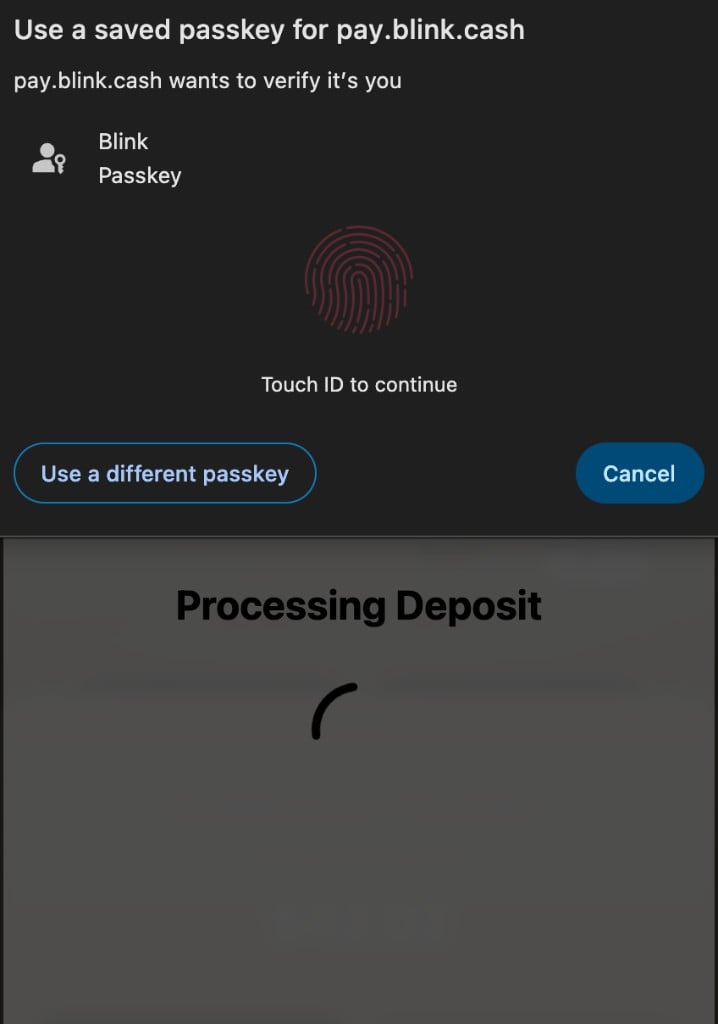
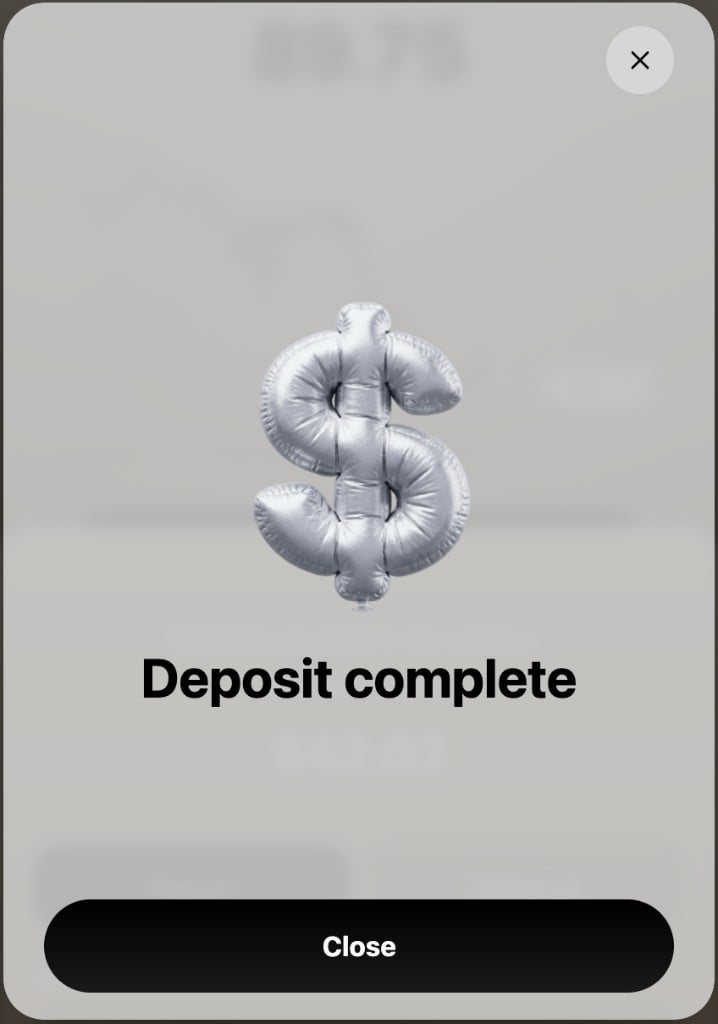
Blink is a deposit SDK for crypto apps. It lets your users deposit crypto into your app with passkeys, instead of dealing with the friction of addresses, chains, or tokens.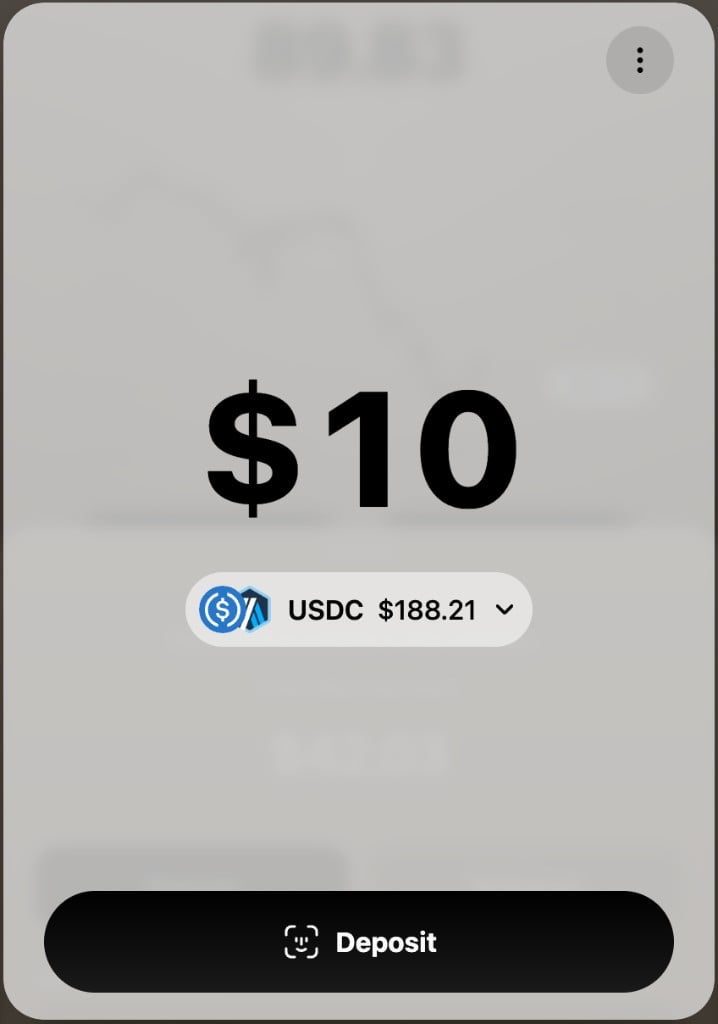
It takes about 5 minutes to add
Drop in one button next to your existing payment methods. We handle the hard parts:- No wallet UI to build
- No on-chain logic to write
- Nothing to PCI-scope
Best for apps with embedded wallets
Prediction markets, trading apps, games, and AI agents. If your users need to get money in fast, Blink is the funding layer that gets them in.Blink is not a wallet
We work on top of wallet infrastructure like Privy, Turnkey, and Dynamic, and help your users fund those wallets in one tap. You don’t replace anything you already have.Web and mobile
Both SDKs are available. Web renders the deposit flow in a modal iframe. Mobile opens the same flow in an in-app browser and returns the result through a deep link. For the current wallets, chains, tokens, and fees, see Supported Networks and Wallets.Integrate with an AI agent
Drop this prompt into Cursor, Claude Code, or any other coding agent to complete an end-to-end Blink integration.---
title: Integrate Blink end-to-end
description: AI agent prompt for scaffolding a complete Blink integration into your codebase.
---
Your mission is to integrate Blink end-to-end into this project: a server-side signer endpoint, the appropriate client SDK, and a working deposit button. The full source of truth lives at `https://docs.blink.cash` — fetch the linked pages as you go and treat them as authoritative over anything you have memorised.
Work through the phases below in order. Do not skip ahead. Phase 2 (Discovery) is a hard gate — write zero code until you have answers.
## Hard rules (non-negotiable)
- **Never** put the merchant private key in client code, public env vars (`NEXT_PUBLIC_*`, `VITE_*`, `EXPO_PUBLIC_*`), or any file the bundler reaches.
- Sign the **base64url-encoded payload string**, not the raw JSON. This is the most common implementation bug.
- One signer endpoint serves both web and mobile SDKs. The web SDK sends `callbackScheme: null`; the mobile SDK sends the app's URL scheme. Echo whatever arrives into the signed payload.
- Generate a fresh UUID v4 `idempotencyKey` and include `signatureTimestamp` (ISO 8601) in every signed payload. Blink enforces a 15-minute max signature age server-side.
- Always handle `DepositError` and surface `getDisplayMessage(err)` to the user. Never swallow errors.
- Do not run `npm install`, create new files, or modify config until Phase 2 is complete.
## Phase 1 — Read the docs first
These pages are the implementation reference. You don't have to fetch all of them up front — fetch each one when its phase begins, but skim Architecture now so you have the mental model.
**Integration Guide**
- [Architecture](https://docs.blink.cash/integration/architecture) — read now
- [Supported Networks and Wallets](https://docs.blink.cash/integration/supported-networks-and-wallets)
- [Fees](https://docs.blink.cash/integration/fees)
- [Key Generation](https://docs.blink.cash/integration/key-generation)
- [Merchant Registration](https://docs.blink.cash/integration/merchant-registration)
- [Signer Endpoint](https://docs.blink.cash/integration/signer-endpoint) — required reading for Phase 4
- [Deposit SDK (Web)](https://docs.blink.cash/integration/deposit-sdk) — required reading for Phase 5a
- [Mobile Deposit SDK](https://docs.blink.cash/integration/deposit-mobile-sdk) — required reading for Phase 5b
- [Testing](https://docs.blink.cash/integration/testing)
- [Production Checklist](https://docs.blink.cash/integration/production-checklist)
**SDK Reference (web)**
- [`Deposit` class](https://docs.blink.cash/sdk-reference/deposit-class)
- [React hook](https://docs.blink.cash/sdk-reference/react-hook)
- [Types](https://docs.blink.cash/sdk-reference/types)
- [Errors](https://docs.blink.cash/sdk-reference/errors)
- [Events](https://docs.blink.cash/sdk-reference/events)
**SDK Reference (mobile)**
- [`MobileDeposit` class](https://docs.blink.cash/sdk-reference/mobile-deposit-class)
- [React Native hook](https://docs.blink.cash/sdk-reference/mobile-react-native-hook)
- [Mobile Errors](https://docs.blink.cash/sdk-reference/mobile-errors)
## Phase 2 — Discovery (must ask before writing any code)
Before reading `package.json` or running anything, ask the user the questions below in a single batch and wait for answers. Detect what you can from the repo first (framework, package manager, existing wallet libraries, registered URL scheme) and pre-fill suggestions, but always confirm with the user.
1. **Platform** — web (`@swype-org/deposit`) or React Native (`@swype-org/deposit-mobile`)? If you detect both web and RN code in the repo, ask which one this integration is for.
2. **Destination chain ID.** Common picks:
| Chain | ID |
|---|---|
| Base (default suggestion) | `8453` |
| Arbitrum One | `42161` |
| Ethereum Mainnet | `1` |
| Polygon | `137` |
| BNB Smart Chain | `56` |
| Solana | `792703809` |
See [Supported Networks](https://docs.blink.cash/integration/supported-networks-and-wallets) for the full matrix.
3. **Destination token address.** Common USDC contracts keyed off the chain choice:
| Chain | Token | Address |
|---|---|---|
| Base | USDC | `0x833589fCD6eDb6E08f4c7C32D4f71b54bdA02913` |
| Arbitrum One | USDC | `0xaf88d065e77c8cC2239327C5EDb3A432268e5831` |
| Ethereum | USDC | `0xA0b86991c6218b36c1d19D4a2e9Eb0cE3606eB48` |
| Polygon | USDC | `0x3c499c542cEF5E3811e1192ce70d8cC03d5c3359` |
| BNB Smart Chain | USDC | `0x8AC76a51cc950d9822D68b83fE1Ad97B32Cd580d` |
| Solana | USDC (SPL mint) | `EPjFWdd5AufqSSqeM2qN1xzybapC8G4wEGGkZwyTDt1v` |
Accept "other" with an explicit address. EVM addresses must match `/^0x[a-fA-F0-9]{40}$/`; Solana mints are Base58.
4. **Where the destination wallet address comes from at runtime.** Detect candidates from `package.json` and ask which to wire up:
- **Privy** (`@privy-io/react-auth`) → typically `useWallets()[0].address`
- **Dynamic** (`@dynamic-labs/sdk-react-core`) → `useDynamicContext().primaryWallet?.address`
- **wagmi / RainbowKit** → `useAccount().address`
- **WalletConnect / viem** → user provides the hook
- **Hardcoded** for testing — ask for an address
- **Custom** — ask the user where the address lives in their app state
5. **Signer endpoint location.** Read `package.json` first to detect the framework, then propose the idiomatic path:
| Framework detected | Suggested path |
|---|---|
| Next.js App Router (`app/` + Next 13+) | `app/api/sign-payment/route.ts` |
| Next.js Pages Router | `pages/api/sign-payment.ts` |
| Express | new `routes/sign-payment.ts` mounted on the existing app |
| Hono | new `routes/sign-payment.ts` |
| Fastify | new `routes/sign-payment.ts` |
| Standalone Node | new `server/signer.ts` |
| Python (FastAPI / Flask / Django) | ask the user; use the Python equivalent in [Signer Endpoint](https://docs.blink.cash/integration/signer-endpoint) |
**Edge runtimes will not work.** Node `crypto` is required. If the project is on Cloudflare Workers, Vercel Edge, or Deno Deploy, flag this and confirm with the user before proceeding (Next.js: set `export const runtime = 'nodejs'` on the route).
6. **Merchant credentials status.** Two paths:
- **Already approved** — the user has an active `merchantId` from Blink. Ask for it and the path to their private key PEM.
- **Not yet approved** — collect the inputs needed for the self-serve [Merchant Registration](https://docs.blink.cash/integration/merchant-registration) endpoint so you can submit on their behalf in Phase 3:
- `email` (RFC 5322, max 255 chars) — where Blink follows up.
- `domain` (hostname, max 255 chars) — defaults to display name on approval.
- `telegram` (optional, 3–64 chars) — `@user` or `user`.
- `description` (20–1000 chars) — what the product is and how it uses Blink.
Tell the user the application returns a reserved `merchantId` immediately (status `PENDING`), so the install can complete and tests can run, but real transfers will fail with `MERCHANT_NOT_REGISTERED` until a Blink operator approves out-of-band.
7. **Private key storage.** Ask which:
- Secrets manager (preferred for production) — AWS Secrets Manager, HashiCorp Vault, GCP Secret Manager, Doppler, 1Password Connect, etc.
- `.env.local` for dev only — confirm it is git-ignored.
8. **(Mobile only) URL scheme.** Read `app.json` (Expo) or `Info.plist` / `AndroidManifest.xml` (bare RN) first. If a scheme is already registered, propose using it. Otherwise ask (e.g. `myapp`). The scheme must match `MobileDeposit`'s `callbackScheme` exactly.
Once you have answers, summarise them back to the user in a short bullet list and confirm before moving to Phase 3.
## Phase 3 — Generate keys and submit your application (skip if already approved)
If the user is already an approved merchant with a `merchantId` and PEM private key, skip this phase entirely. Otherwise, do all of the following.
### 3a. Generate the key pair
Follow [Key Generation](https://docs.blink.cash/integration/key-generation) — either OpenSSL or Node `crypto` works. Then:
- Save `private.pem` outside any directory the bundler reaches.
- Add `private.pem` and any `*.pem` to `.gitignore`. Verify it is ignored before continuing.
- Never commit, log, or echo the private key.
### 3b. Submit the merchant application
Read [Merchant Registration](https://docs.blink.cash/integration/merchant-registration) for the full request/response schema. Then:
1. Read `public.pem` into memory. The PEM contents become the `publicKey` field — keep the literal `\n` line breaks intact when JSON-encoding.
2. Build the request body from the inputs collected in Phase 2:
```json
{
"email": "<from Phase 2>",
"domain": "<from Phase 2>",
"publicKey": "<contents of public.pem>",
"telegram": "<from Phase 2, omit if not provided>",
"description": "<from Phase 2>"
}
```
3. **Show the user the exact request body and ask them to confirm before sending.** Do not submit unconfirmed applications — submissions are throttled and duplicates are rejected with `409 MERCHANT_APPLICATION_DUPLICATE`.
4. Submit:
```bash
curl -X POST https://api.blink.cash/v1/merchants/applications \
-H 'Content-Type: application/json' \
-d @application.json
```
5. Parse the `202 Accepted` response and capture `merchantId` from the JSON body. Set it in the user's `.env.local` (or write it into `.env.local.example` with a placeholder if `.env.local` already exists):
```
MERCHANT_ID=<merchantId from response>
```
6. Report status to the user clearly: the `merchantId` is reserved and `status: PENDING`. They will receive an out-of-band confirmation (email or Telegram) when a Blink operator approves. Until then, real transfers will fail with `MERCHANT_NOT_REGISTERED` — but the rest of the install can proceed and the signer can be smoke-tested locally.
7. Handle non-`202` responses gracefully:
- `400` → print the validation error verbatim, fix the input with the user, and resubmit.
- `409 MERCHANT_APPLICATION_DUPLICATE` → an application with this public key is already pending. Either wait for review or generate a new key pair before resubmitting.
- `429 RATE_LIMITED` → wait the `Retry-After` window before resubmitting.
## Phase 4 — Build the signer endpoint
Read [Signer Endpoint](https://docs.blink.cash/integration/signer-endpoint) end-to-end before writing anything. Then implement at the path agreed in Phase 2.
Checklist for the implementation (every item is in the doc — this is a reminder, not a substitute):
- [ ] Validate `amount`, `chainId`, `address`, `token`, and `callbackScheme` per the rules in the doc. Reject with HTTP 400 on any failure.
- [ ] For mobile, allowlist the app's URL scheme (e.g. `new Set(['myapp', 'myapp-staging'])`); for web, accept `null` only.
- [ ] Generate a UUID v4 `idempotencyKey` per request.
- [ ] Record `signatureTimestamp` as `new Date().toISOString()`.
- [ ] Build the payload object in the exact field order shown in the doc.
- [ ] Base64url-encode the JSON string.
- [ ] **Sign the base64url-encoded string** (not the raw JSON) with ECDSA P-256 + SHA-256. Base64url-encode the signature.
- [ ] Return `{ merchantId, payload, signature, preview }` with `Cache-Control: no-store`.
- [ ] Load the private key from `process.env.MERCHANT_PRIVATE_KEY` (or your secrets manager). Never read it from the request, never log it.
- [ ] Authenticate callers (session cookie, bearer token, or strict CORS).
If the project is Python, follow the Python equivalent in the same doc.
After the file is written, set the env vars in the user's local environment (or update their `.env.local.example`):
```
MERCHANT_ID=<uuid from Blink>
MERCHANT_PRIVATE_KEY="-----BEGIN PRIVATE KEY-----\n...\n-----END PRIVATE KEY-----"
```
## Phase 5a — Web SDK integration (skip if Phase 1 chose React Native)
Read [Deposit SDK](https://docs.blink.cash/integration/deposit-sdk) and the [`Deposit` class reference](https://docs.blink.cash/sdk-reference/deposit-class). For React projects, also read the [React hook reference](https://docs.blink.cash/sdk-reference/react-hook).
Then:
1. `npm install @swype-org/deposit` (or yarn / pnpm equivalent).
2. Initialise the SDK with `signer: '<path from Phase 4>'` (e.g. `'/api/sign-payment'`).
3. Wire `requestDeposit({ amount, chainId, address, token })` to a button click handler. Pull `address` from the wallet source picked in Phase 2 — for example:
- Privy: `const { wallets } = useWallets(); const address = wallets[0]?.address;`
- wagmi: `const { address } = useAccount();`
- Hardcoded: use the address the user provided in Phase 2.
4. **`requestDeposit()` must run from a user-gesture handler** (button click, keypress). Browsers block iframe creation otherwise.
5. Render `displayMessage` / `getDisplayMessage(err)` from [Errors](https://docs.blink.cash/sdk-reference/errors) on failure. Use the React hook's `error` field if you went the hook route.
6. Call `deposit.destroy()` on component unmount or page unload (the React hook does this automatically).
7. Confirm a viewport meta tag exists for mobile browsers: `<meta name="viewport" content="width=device-width, initial-scale=1.0">`.
## Phase 5b — React Native SDK integration (skip if Phase 1 chose web)
Read [Mobile Deposit SDK](https://docs.blink.cash/integration/deposit-mobile-sdk) and the [`MobileDeposit` class reference](https://docs.blink.cash/sdk-reference/mobile-deposit-class). For hook-based usage, also read the [RN hook reference](https://docs.blink.cash/sdk-reference/mobile-react-native-hook).
Then:
1. Install dependencies:
- `npm install @swype-org/deposit-mobile`
- Expo: `npx expo install expo-web-browser expo-linking`
- Bare RN: install your in-app browser of choice (e.g. `react-native-inappbrowser-reborn`) plus `react-native`'s built-in `Linking`.
2. Configure `MobileDeposit` with `callbackScheme` set to the URL scheme captured in Phase 2.
3. **Register the deep-link listener BEFORE any `requestDeposit()` call.** This is the most common bug. In a top-level `useEffect`:
```ts
useEffect(() => {
const sub = Linking.addEventListener('url', ({ url }) => handleDeepLink(url));
Linking.getInitialURL().then((url) => { if (url) handleDeepLink(url); });
return () => sub.remove();
}, [handleDeepLink]);
```
The `getInitialURL` call covers cold-start callbacks where the OS launched your app fresh from the deep link.
4. Update the platform manifest to register the URL scheme. The exact snippets are in [Mobile Deposit SDK](https://docs.blink.cash/integration/deposit-mobile-sdk):
- Expo: `app.json` `"scheme": "<scheme>"`
- iOS bare: `Info.plist` `CFBundleURLTypes`
- Android bare: `AndroidManifest.xml` `<intent-filter>`
5. Wire `requestDeposit({ amount, chainId, address, token })` to the deposit button. Pull `address` from the wallet source picked in Phase 2.
6. Render errors via `getDisplayMessage(err)` from [Mobile Errors](https://docs.blink.cash/sdk-reference/mobile-errors). The mobile SDK has two extra error codes the web one doesn't: `BROWSER_FAILED` and `DEEP_LINK_INVALID`.
7. Call `deposit.destroy()` on screen unmount.
## Phase 6 — Verify end-to-end
Run all three checks. Reference: [Testing](https://docs.blink.cash/integration/testing).
1. **Signer smoke test.** With the dev server running, hit the signer with a known-good payload and confirm the response shape:
```bash
curl -X POST http://localhost:3000/api/sign-payment \
-H 'Content-Type: application/json' \
-d '{"amount":50,"chainId":8453,"address":"0x1a5FdBc891c5D4E6aD68064Ae45D43146D4F9f3a","token":"0x833589fCD6eDb6E08f4c7C32D4f71b54bdA02913","callbackScheme":null,"url":"https://pay.blink.cash","version":"v1"}'
```
Expect `{ merchantId, payload, signature, preview: { ... } }`. Decode `payload` with base64url and confirm the JSON contains a fresh `idempotencyKey` and `signatureTimestamp`.
2. **End-to-end deposit.** Click the deposit button, complete the hosted flow with a test wallet, and confirm the resolved `DepositResult` contains a non-empty `transfer.id` and `transfer.status`.
- If the hosted flow rejects with `MERCHANT_NOT_REGISTERED`, this is expected when the application from Phase 3 is still `PENDING`. The signer is wired correctly; the user just needs to wait for operator approval. Smoke-test 1 still works in this state.
3. **Mobile only.** Devices cannot reach `localhost`. Run `ngrok http 3001` (or `cloudflared tunnel --url http://localhost:3001`) and update the SDK's `signer` URL to the public HTTPS tunnel URL while testing on a real device or simulator.
## Phase 7 — Production hardening
Walk the user through [Production Checklist](https://docs.blink.cash/integration/production-checklist) item by item before they ship. The high-leverage ones:
- HTTPS-only signer; no plain HTTP.
- Caller authentication (session token, bearer token, or strict CORS).
- Rate limiting on the signer.
- Allowlist of mobile callback schemes.
- Private key in a secrets manager, not a `.env` file on disk.
- Server-side verification of transfer status — do not trust the client-side `DepositResult` for anything irreversible.
- Monitoring + alerting on signer errors, timeouts, and elevated failure rates.
- `reference` and/or `metadata` populated on `requestDeposit()` calls so payments can be reconciled to internal orders.
## Closing — Final summary
When you are done, print a short summary to the user:
- Files created or modified, grouped by purpose (signer, client SDK, config).
- Env vars they need to set locally and in production.
- The exact test recipe from Phase 6 they should run.
- A pointer to [Production Checklist](https://docs.blink.cash/integration/production-checklist) as the go-live gate.
- Any open items, especially:
- "Merchant application is `PENDING` — real transfers will fail with `MERCHANT_NOT_REGISTERED` until a Blink operator approves out-of-band."
- "URL scheme registered but app not yet rebuilt." (mobile only)
Quickstart
Get a working deposit integration running in 5 minutes.
Architecture
Understand the full deposit flow, signer endpoint, and hosted UI lifecycle.
Deposit SDK for Web
Integrate deposits into your web app with vanilla JS or React.
Deposit SDK for Mobile
Open the hosted flow in an in-app browser with deep link callbacks.
Key Generation
Generate your ECDSA key pair and register your public key with Blink.
Testing
Validate your integration end-to-end with a live deposit.